Generate images and videos with the best AI for brokers

Use AI to delight your customers, sell more, and highlight your images and videos in ads and marketplaces.

Real estate agencies across Brazil use our implementation method and result with AI.

[

What is Redraw?

]

We are the largest AI software for architecture in Latin America

And now, we present Redraw for brokers, an AI Hub that will force you to generate images that actually sell.

[

AI for Brokers

]

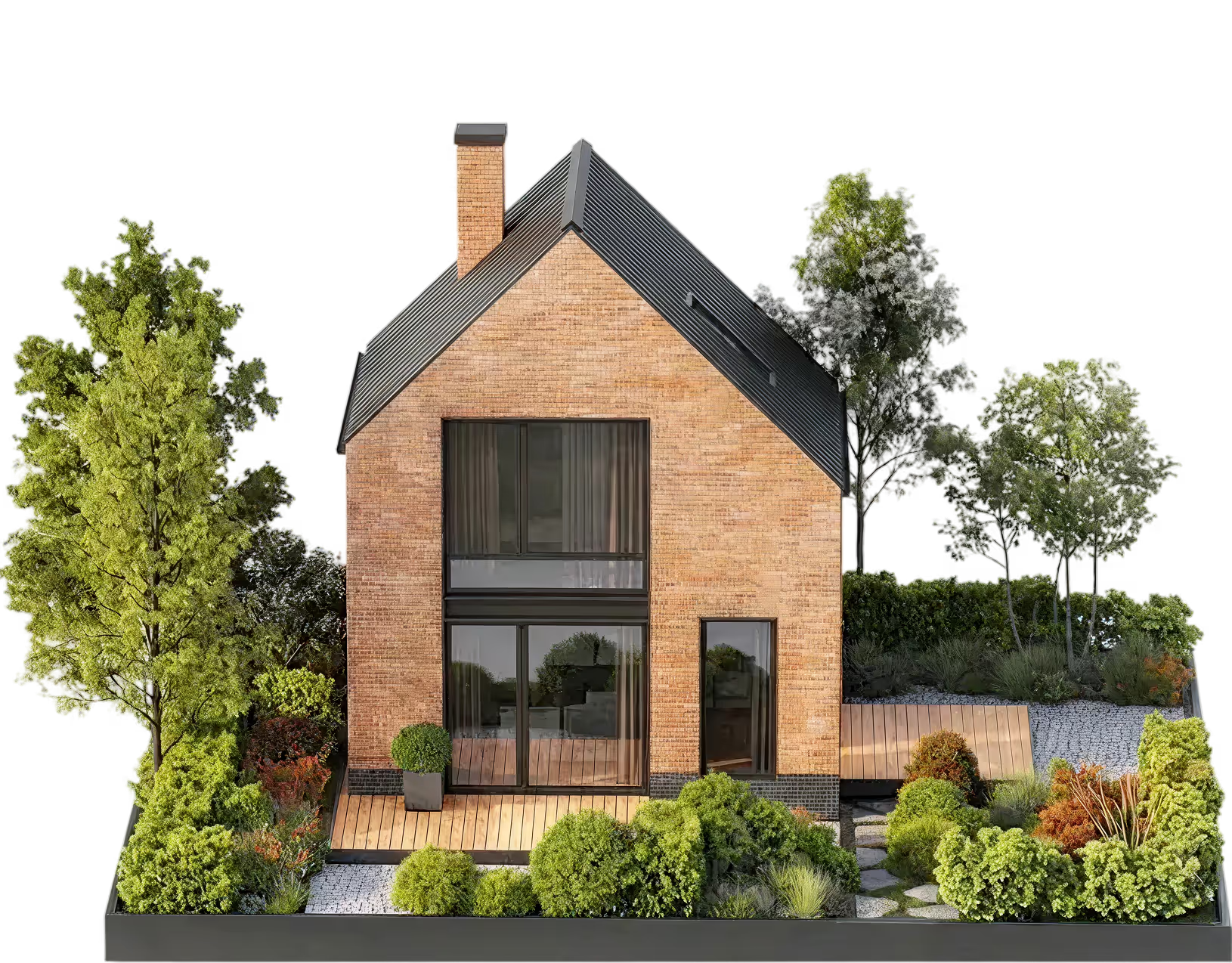
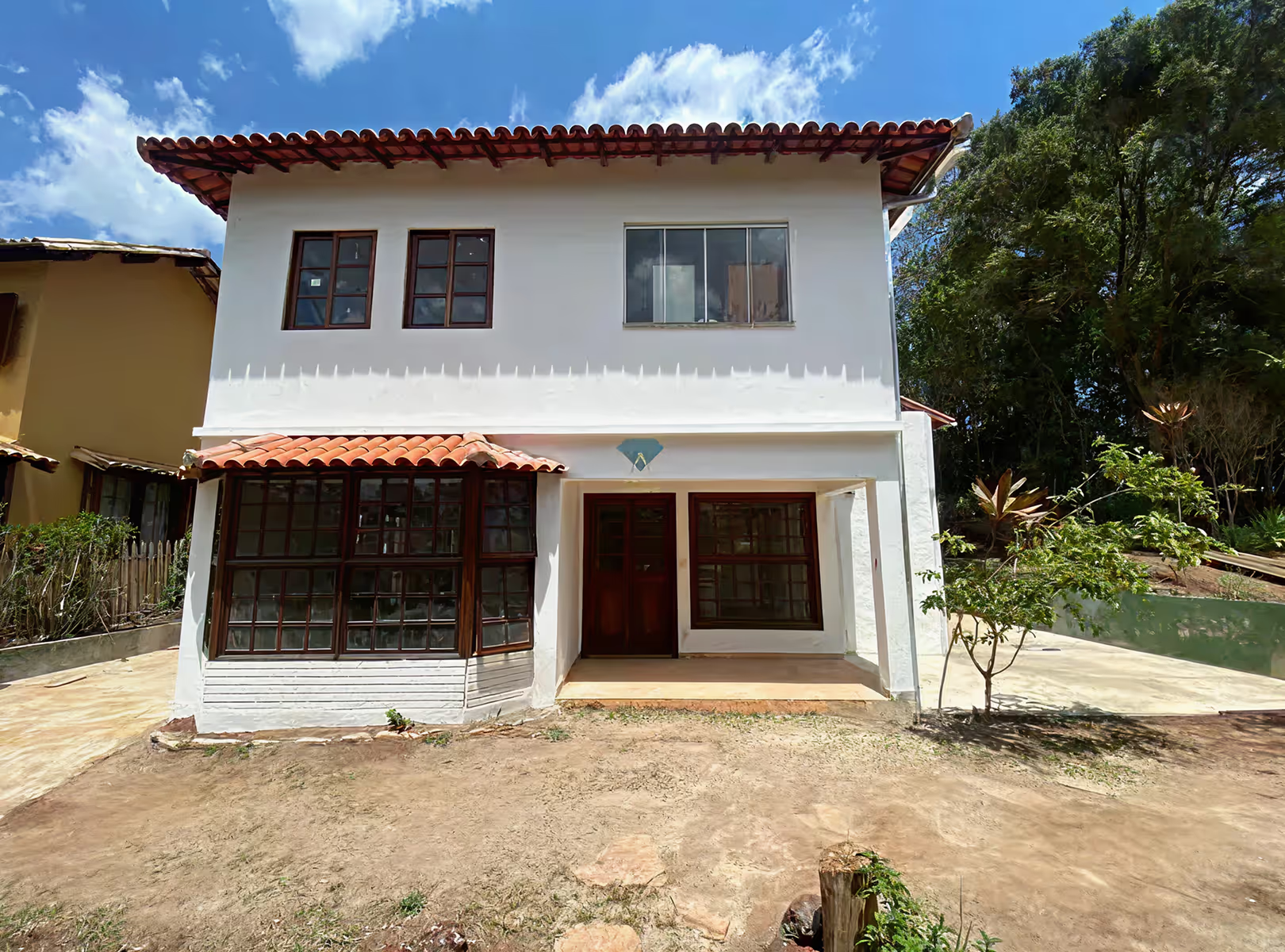
How to apply AI to the Broker's daily life? Take a look at the examples:
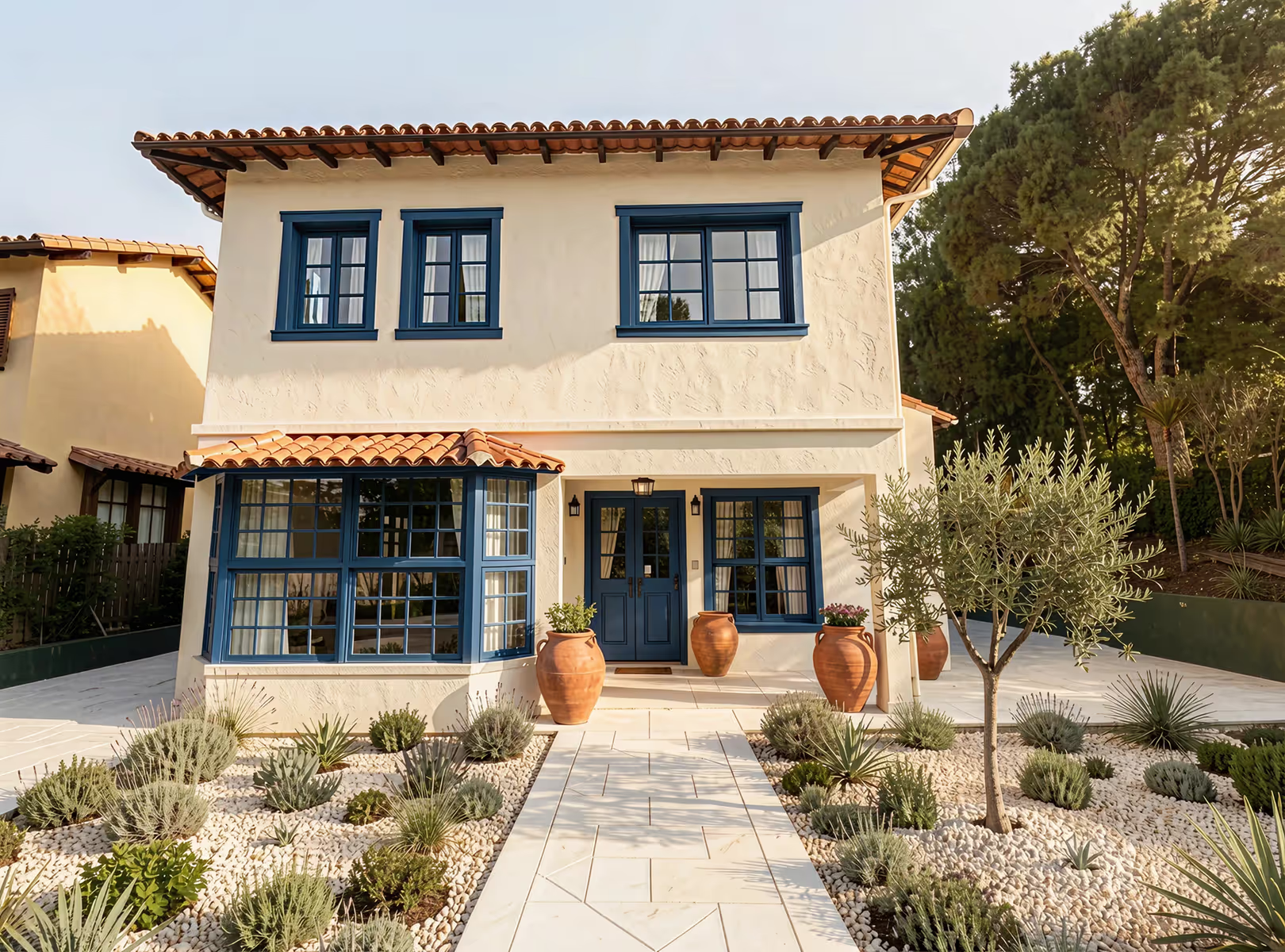
Before
After

AI for Brokers

Reform
houses:

With AI, you can generate new proposals, or even fix image details to sell more.
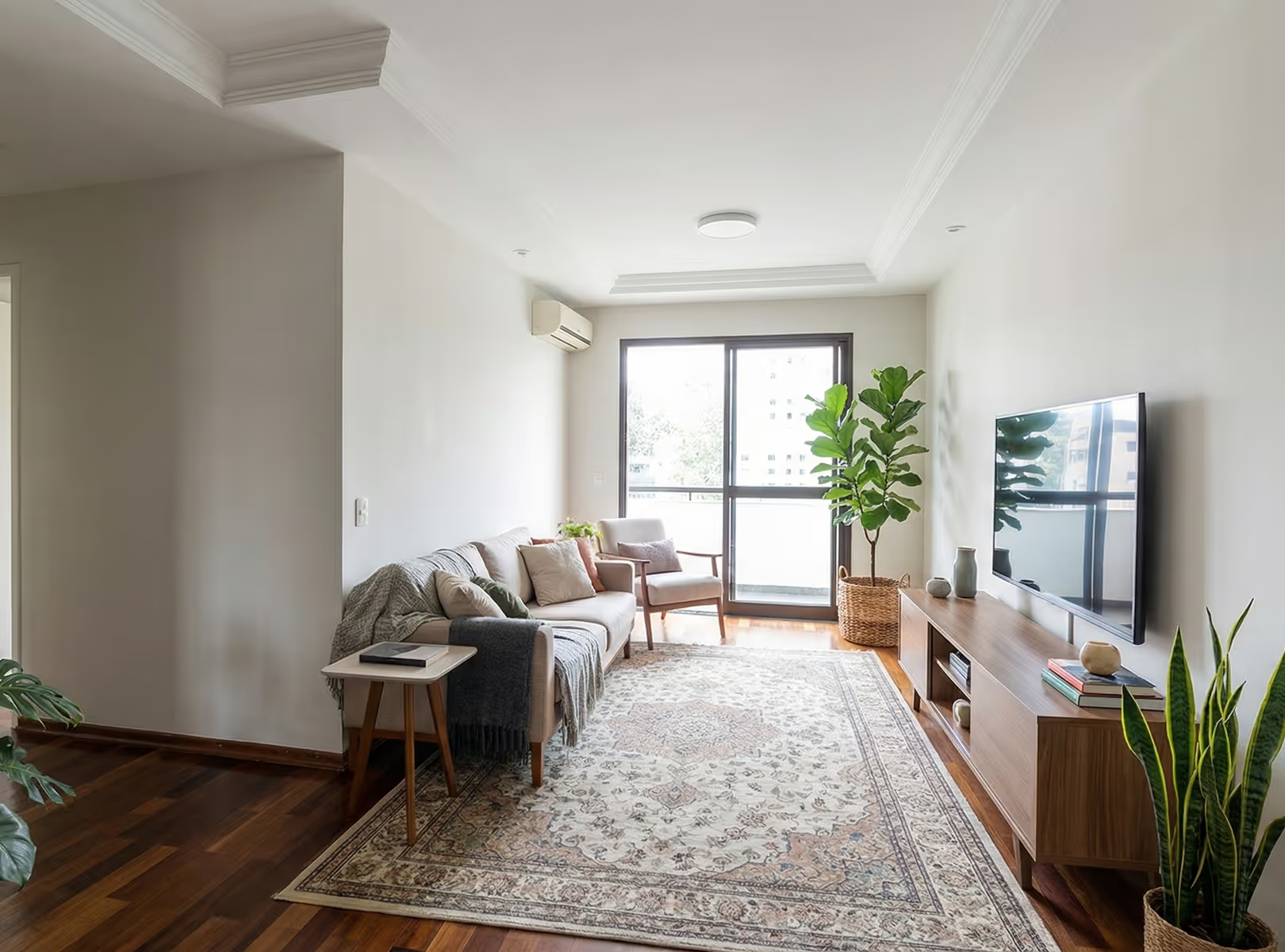
Before
After

AI for Brokers

Introduce
new proposals:

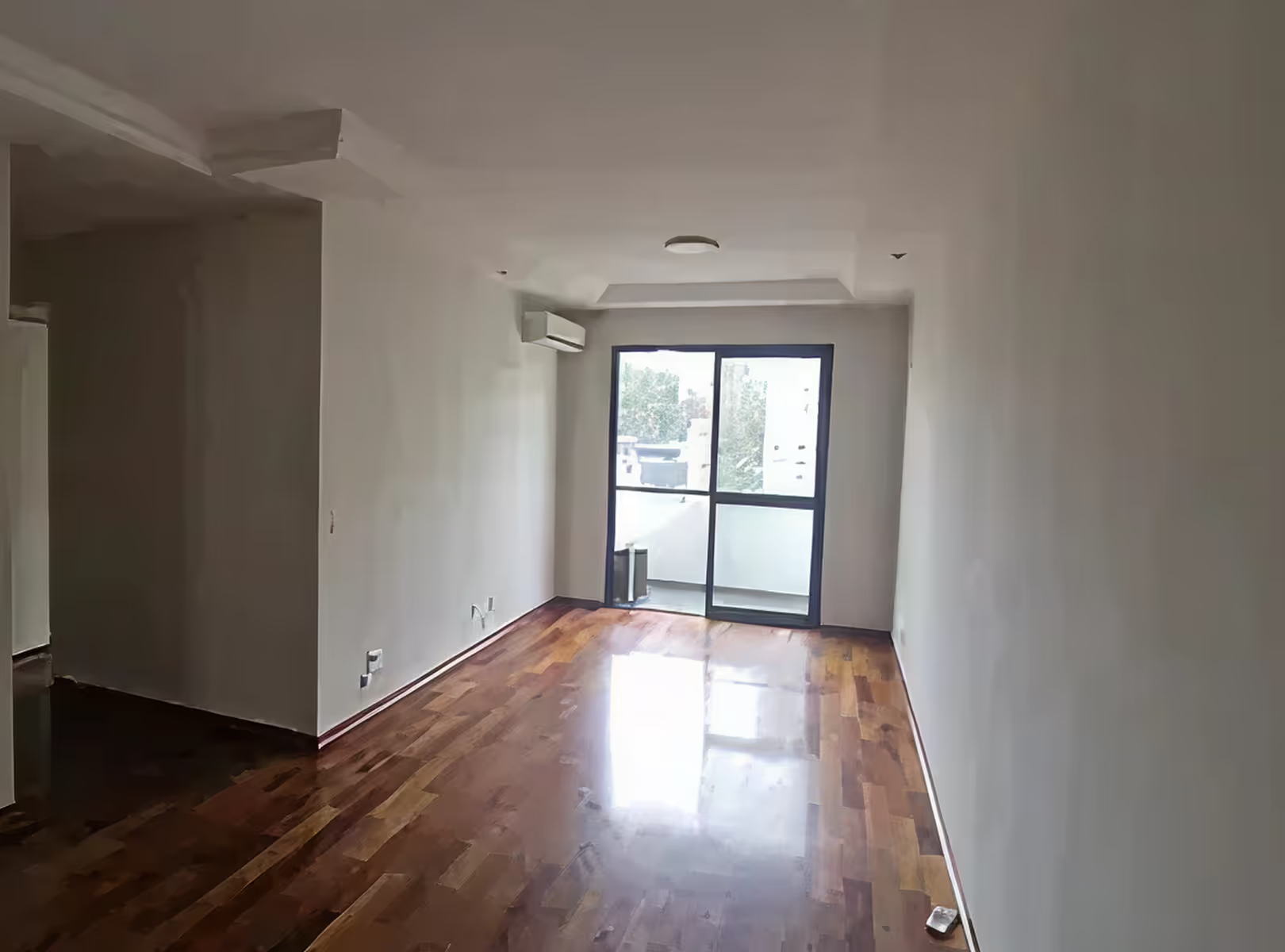
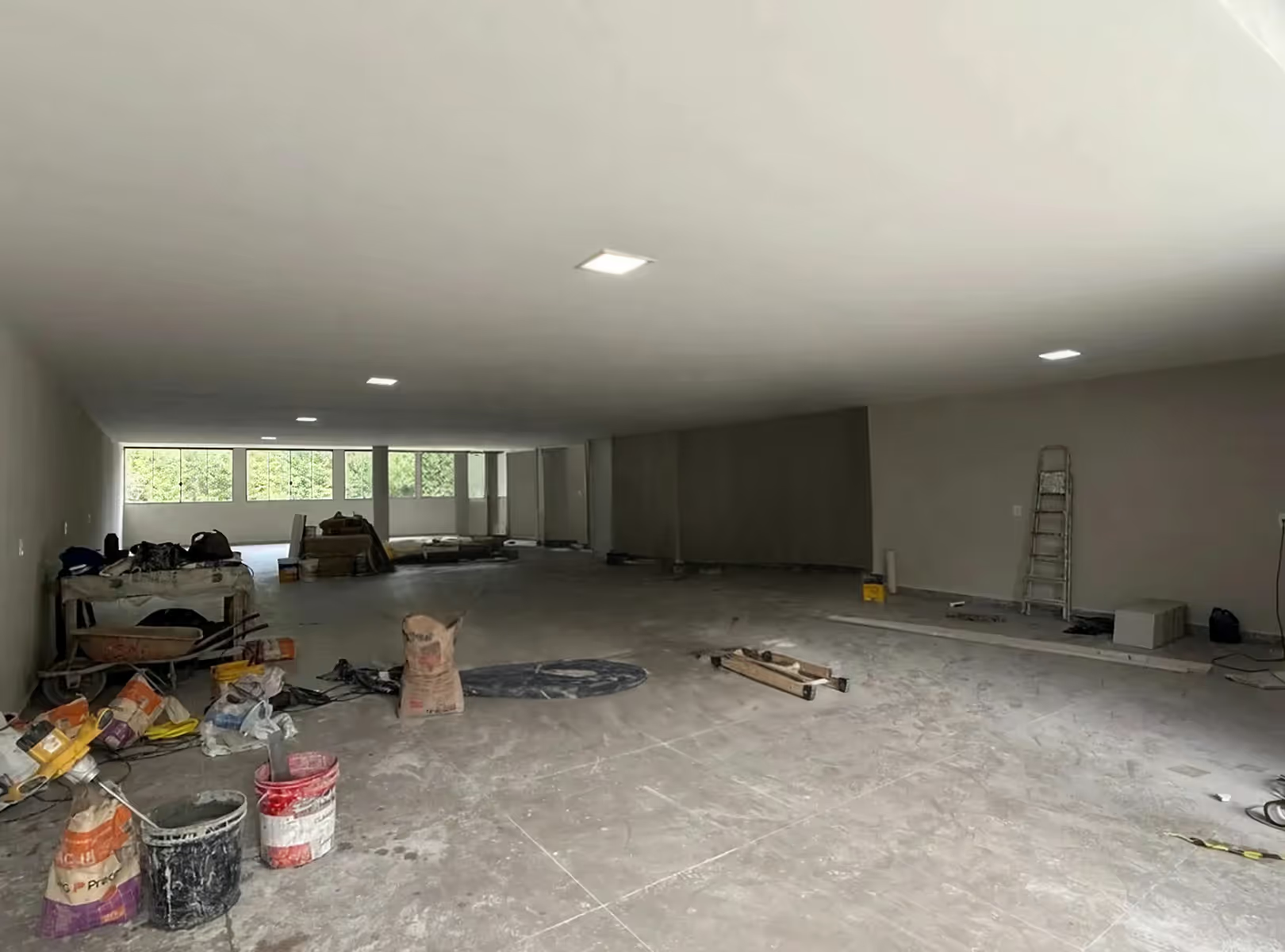
Do you know when the customer doesn't know if that place fits what they want? Or even just an image of the empty room doesn't convince him? Imagine showing what everything will look like in the future for him, with personalized options

AI for Brokers

Create videos from
presentation:

Video speaks for itself, show proposals and enchant your client, stand out with creative videos that talk to your client on their own.

[

Example

]

See some of the possibilities below

Quickly transform images of environments into realistic scenes to present proposals that impress your client without relying on complex software.

Add the customer

You can insert the client's real photo directly into the apartment being presented. The AI positions the image in the environment with natural integration of scale, perspective, and lighting, creating a realistic and personalized scene.
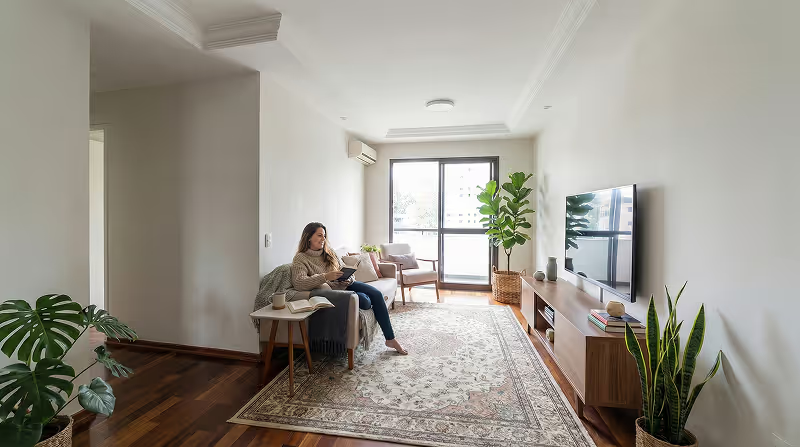
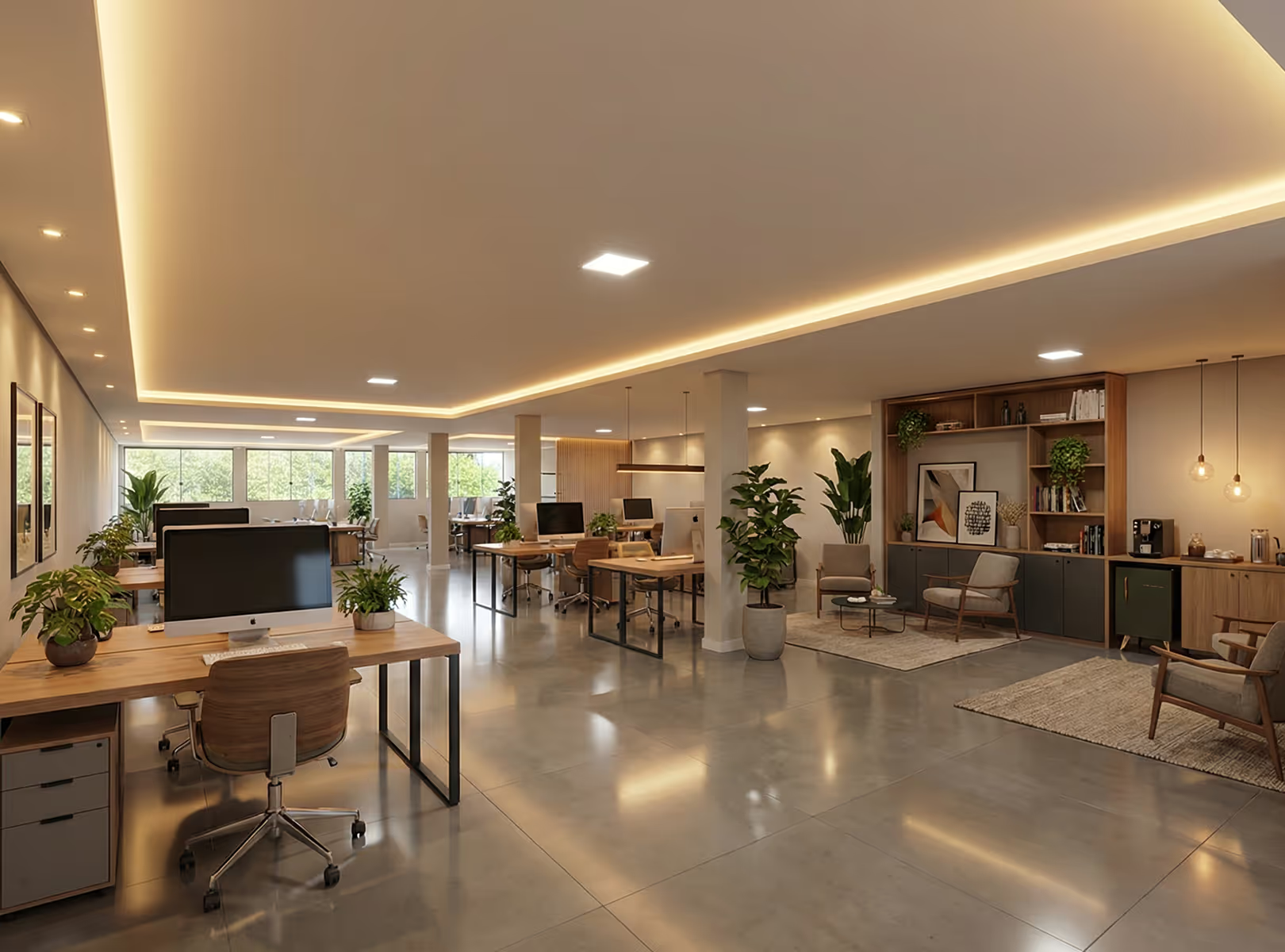
Before
After

Create lighting variation

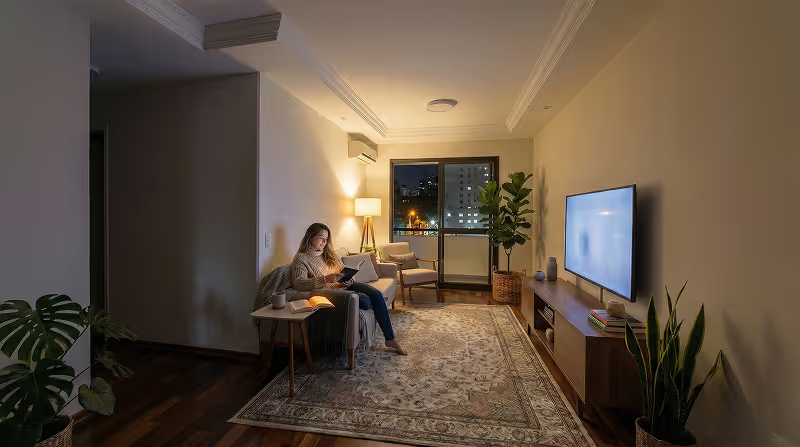
Redraw uses artificial intelligence to simulate varying light conditions without altering your original model, helping you explore moodboards, styles, and atmospheres before the final work or proposal.
Before
After

Customize property style

With a few clicks, transform the empty or decorated environment into different visual proposals: modern, minimalist, sophisticated or classic.

Simulate different moments

Simulate morning light, sunset, or a more cozy night environment to reveal different sensations of the same space.

[

IAs HUB

]

The Redraw is
an IAs HUB

AI Tools

Workflow used by Redraw

For one Affordable value you have access to the best IAs on the market, tools designed to help you sell more and save time

Nano Bana Pro

Transforme cenários, adicione elementos e ajuste detalhes em segundos com o Gemini 3

Kling

Crie vídeos e imagens com realismo fotográfico, simulando movimentos complexos e cenas naturais com alta fidelidade e precisão

Magnific

Aumente a resolução com controle total: mantenha a fidelidade exata com Precision ou adicione riqueza visual e novos elementos com Creative

OpenAI

Edite e crie imagens que respeitam cada detalhe do seu texto com o ChatGPT e vídeos que ganham vida através do Sora 2, unindo visual cinematográfico e áudio realista

The game has changed, now anyone using AI can create presentations on another level, you don't have to be different.
Redraw Academy

Get access to personalized classes, teaching you step-by-step to generate images and videos that break the standard and make you stand out from the competition.

Access Redraw Academy
[

Blog

]

Redraw Updates and Trends

Access Blog
Tips
26.05.2026

AI for SketchUp: 10 Plugins and Tools Every Architect Needs in 2026

Alexandre Kuhn
5 min of reading

SketchUp is the most popular modeling software among architects in Brazil and worldwide. Easy to learn, fast to use, and with a plugin ecosystem that lets you do practically anything. But SketchUp alone has limitations. It's through plugins and external tools that it transforms from a "massing software" into a complete professional tool.

In 2026, AI entered this ecosystem with force. And the best part: the most powerful AI tool for SketchUp is not a plugin. It's easier than one. But before we get there, let's cover the essential plugins every architect should know.

Modeling plugins: SketchUp at its best

These plugins solve native SketchUp limitations and give you more control over modeling.

1. Curviloft

SketchUp struggles with organic shapes. Complex curves, flowing roofs, facades with non-linear geometry. Curviloft solves this. It creates surfaces from curves, smooth transitions between different profiles, and shapes that native SketchUp simply cannot produce. For architects designing contemporary buildings with curves, it's indispensable.

Free.

2. SubD (Subdivision Surfaces)

SubD adds subdivision modeling to SketchUp. You create a simple shape (low-poly) and the plugin smooths it in real time, generating complex organic surfaces. The trick is that you work on the simple model (fast and lightweight) and switch to the smoothed version when you need to see the result. Keeps the file light while allowing advanced geometries.

Paid (~$39).

3. Profile Builder

Creates custom profiles (baseboards, moldings, channels, metal profiles) and applies them along any path. Instead of manually modeling each detail, you define the profile once and the plugin extrudes it wherever you need. Saves hours in detailing work.

Paid (~$49).

4. Skatter 2

The most powerful scatter plugin for SketchUp. Vegetation, street furniture, stones, tiles — any object that needs to be repeated at scale. Skatter distributes objects across surfaces with control over density, random rotation, and region exclusion. It turns landscaping and urban scenes that would take hours into minutes.

Paid (~$69).

5. CleanUp³

Models imported from DWG, Revit, or other software arrive in SketchUp full of unnecessary geometry. Duplicate faces, stray edges, repeated materials. CleanUp clears everything automatically. Reduces file size, improves performance, and prevents problems at render time.

Free.

6. Solid Inspector²

Before exporting for 3D printing or any boolean operation, the model needs to be solid. Solid Inspector checks and automatically fixes geometry issues: reversed faces, internal edges, holes. It's the "doctor" for your model.

Free.

7. PlaceMaker

Draw a rectangle on the map and PlaceMaker imports 3D terrain, surrounding buildings, satellite imagery, and elevation data. It does in 2 minutes what would take a full day of manually modeling urban context. For site studies and shadow analysis, it's transformative.

Paid (~$100/year).

8. Skalp

Generates sections and elevations with hatching directly in SketchUp. For those who need technical drawings without leaving the software, Skalp creates sections with material patterns (concrete, earth, insulation) that update automatically when the model changes.

Paid (~$59).

AI plugins for SketchUp: what exists (and what's missing)

9. Redraw: the AI tool that isn't a plugin (and is better than one)

Redraw is not a SketchUp plugin. Nothing needs to be installed. And that's exactly why it works better.

The workflow is simple: take a screenshot of the 3D view in SketchUp, open Redraw in your browser, upload the image, and in 20 to 40 seconds receive a photorealistic render. Works with any version of SketchUp (Free, Go, Pro). No plugin compatibility required. No file weight added. No crashes.

AI plugins like SketchUp AI Render and Veras need to read the 3D geometry of the model, which creates version dependency, compatibility problems, and technical limitations. Redraw skips all of that. It works with the visual image of the model — which is what the AI actually needs.

And the result is superior. Redraw has proprietary models trained for architecture that understand materiality, natural lighting, and proportion. It's not generic AI with an architecture skin. These are models that know the difference between porcelain tile flooring and a wood deck, between sunset light and artificial lighting.

Inside Redraw, beyond the proprietary model, you access ChatGPT optimized for rendering, optimized Gemini, Nano Banana. You can generate project video (proprietary tool + Veo 3 + Kling AI). You can generate 3D objects to import back into SketchUp. You can enhance existing renders with Enhance Render.

It's more than any plugin offers. And easier to use.

Why "not being a plugin" is an advantage

It may seem counterintuitive. If Redraw were a SketchUp plugin, you could click directly from the software. But in practice, plugins create problems:

They depend on the SketchUp version. Update SketchUp and the plugin stops working until an update is released.

They weigh on the model. Render plugins add processing that makes SketchUp slower.

They limit use to one software. If tomorrow you model something in Revit or ArchiCAD, the SketchUp plugin is useless.

Redraw works with any software, on any machine, anywhere. Took a screenshot? Render it. Doesn't matter if it came from SketchUp Free on a Chromebook or SketchUp Pro on a workstation.

The complete SketchUp architect toolkit for 2026

FunctionToolTypeCost
Organic shapesCurviloftFree pluginFree
SubdivisionSubDPaid plugin~$39
Custom profilesProfile BuilderPaid plugin~$49
Scatter (vegetation)Skatter 2Paid plugin~$69
Model cleanupCleanUp³Free pluginFree
Solid verificationSolid Inspector²Free pluginFree
Urban contextPlaceMakerPaid plugin~$100/year
Sections with hatchingSkalpPaid plugin~$59
AI render + video + 3DRedrawWeb platform$15/month

Frequently asked questions

What is the best AI plugin for SketchUp?

Redraw is not a plugin but delivers superior results: photorealistic render in 30 seconds, nothing to install, with proprietary models trained for architecture.

Does Redraw work with SketchUp Free?

Yes. Since Redraw works with a screenshot of the model, it works with any version of SketchUp, including Free, Go, and Pro. No plugin or specific version required.

Which SketchUp plugins are free?

Curviloft, CleanUp³, and Solid Inspector² are free and essential.

Does Redraw generate 3D objects for SketchUp?

Yes. Redraw has a proprietary 3D object generation model that can be imported directly into SketchUp. Furniture, vegetation, lighting fixtures — any element missing from your library.

Is it worth paying for SketchUp plugins?

It depends on your workflow. SubD, Skatter, and PlaceMaker pay off the investment within a few weeks of use. For rendering, there's no point investing in a paid plugin when Redraw delivers more for $15/month with no installation.

Try Redraw → redraw.pro

AI for Revit — photorealistic BIM rendering with artificial intelligence
Tips
26.05.2026

AI for Revit: How to Render BIM Projects with Artificial Intelligence in 2026

Alexandre Kuhn
5 min of reading

Revit is the most complete modeling software for architecture. That is not an opinion. It is the global BIM market standard. The amount of information a Revit model carries — precise geometry, assigned materials, construction data, dimensions, quantities — has no equivalent in any other software.

And it is precisely that richness of information that makes Revit excellent for AI rendering.

A well-built 3D model in Revit, when used as a base for AI, delivers superior results compared to SketchUp. The geometry is more precise, materials are already defined in the project, and views are generated with technical accuracy. The AI receives an image with more context, more detail, and consequently produces a better render.

The problem was never Revit. The problem is what comes after.

Revit's bottleneck: rendering

The rendering bottleneck in Revit

Revit models like nothing else. But rendering inside Revit is painful. The native engine is limited and slow. Most professionals turn to plugins (V-Ray for Revit, Enscape for Revit) or export to other software.

Each of these options adds cost, complexity, and time:

V-Ray for Revit costs $540/yr. It demands powerful hardware and hours of configuration per render. The result is excellent if you master it, but the learning curve is long and time is short.

Enscape for Revit costs $575/yr. It is faster to render but results look generic. Photorealism in materials and lighting is lacking.

Exporting to Lumion or D5 Render adds yet another step (and another license). The file must be exported, imported, reconfigured. Materials are lost in conversion. It is rework.

In the end, the professional who uses Revit spends more time trying to render than modeling. The software that produces the best 3D model on the market is the one that suffers most when it comes to generating images.

Revit + Redraw: the perfect model meets the perfect render

With Redraw, the workflow changes completely. You take a screenshot of the 3D view in Revit and upload it to Redraw. In 20 to 40 seconds, the AI generates a photorealistic render.

No plugin. No export. No material configuration. No waiting 2 hours for a render.

And the result is better than most renders produced with V-Ray or Enscape by professionals who do not have time to configure everything perfectly. Because Redraw's AI was trained to understand architectural context: it identifies materials by appearance, applies realistic natural lighting, and preserves the exact geometry of the model.

If the Revit model is well optimized (and we will cover how to optimize it shortly), the AI render surpasses what SketchUp delivers. Because Revit generates cleaner views, with more defined geometry, and the AI can interpret them with greater precision.

How to optimize your Revit model for AI rendering

Not every screenshot produces an excellent result. The model needs to be presentable. Some practical tips:

Use a realistic 3D view, not wireframe. The AI interprets what it sees. If the view has edge lines, axes, and annotations, the render will reflect that. Enable Realistic or Shaded mode in Revit before taking the screenshot.

Position the camera as you would in a real photo. Eye level (1.50 m to 1.70 m for interiors), natural angle, no excessive distortion. The AI delivers better results when the perspective feels human.

Keep materials assigned. Revit allows you to assign materials to each element. Even if they are not fully renderable materials, the visual information they provide in the 3D view helps the AI interpret what is floor, wall, glass, wood.

Clean up the view. Hide elements that are not part of the scene: piping, exposed structure (if not intentional), grid lines. The cleaner the screenshot, the better the result.

Use full-screen resolution. Take the screenshot at the maximum monitor resolution. More pixels = more information for the AI.

With an optimized model, Revit delivers the best possible base for AI rendering. Better than SketchUp (more precise geometry), better than ArchiCAD (more configurable views), and much better than exports to other software that lose information along the way.

The complete workflow: Revit + Redraw at every project phase

Phase 1: Concept

The project is just beginning. Mass studies, massing, initial site placement. You have a basic Revit model and need to show the client how the project is progressing.

With Redraw, take a screenshot of the massing and generate a quick render. The client sees the project volume with realistic materiality and lighting. In 30 seconds. Without spending hours on a render that will change next week.

Want to explore styles? Use Redraw's idea generation. Brutalist, contemporary, tropical facade. Generate variations in seconds and align direction with the client before developing further.

Phase 2: Design Development

The model is advanced. Materials defined, spaces detailed, lighting considered. Now you need quality renders to validate with the client and make final adjustments.

Screenshot of the Revit 3D view, upload to Redraw, render in 30 seconds. The client asks for wood flooring instead of porcelain tile? Another 30 seconds. Prefers black frames instead of white? Another 30 seconds. In 10 minutes you have generated 15 variations that in the traditional workflow would take 2 days.

Phase 3: Client Presentation

Project approved — time to present with final quality. Facade renders, interiors, aerial perspectives. Material for the commercial proposal, portfolio, and social media.

Render in Redraw at maximum quality. Use Enhance Render to refine details. Generate a project video with Redraw's video tool (proprietary model, Veo 3, or Kling AI). Generate 3D objects missing from the model and import them into SketchUp/Revit.

Complete deliverable. One platform. One subscription.

Frequently Asked Questions

Do I need a plugin to use AI with Revit?

No. Redraw works through the browser. You take a screenshot of the Revit 3D view and upload it to the platform. No plugin to install, no file to export, no integration required.

Is a Revit model good for AI rendering?

Excellent. Revit generates precise geometry with assigned materials. When well optimized, a Revit screenshot delivers superior results to SketchUp for Revit AI rendering, because the AI receives more context and more detail.

Does Redraw replace V-Ray for Revit?

For the vast majority of everyday renders (presentations, variations, portfolio), yes. V-Ray retains an advantage only in scenarios requiring absolute control of every parameter. For everything else, Redraw is faster, cheaper, and the result is professional.

Can I render Revit sections and floor plans with AI?

Yes. Redraw accepts any image. If you generate a humanized section view or floor plan in Revit and upload it to Redraw, the AI can humanize and stylize it. Redraw has presets for humanized floor plans and architectural sections.

Does Revit run on Mac?

Not natively. Revit is Windows only. But BIM rendering AI with Redraw works on any system. You can model on Windows with Revit and render on Mac, tablet, or mobile through Redraw.

Try Redraw → redraw.pro

Redraw — best AI for architecture rendering in Latin America
Redraw
25.05.2026

The AI for Architecture Leading Latin America Now Expanding to the US and Europe

Alexandre Kuhn
5 min of reading

Latin America is producing the world's largest AI rendering revolution. And Brazil is leading it.

While American and European companies try to adapt generic AIs to architecture, a Brazilian startup built from scratch the largest AI platform specialized in rendering for architects, engineers, and interior designers on the planet. With more than 200,000 registered users, over 800,000 renders generated per month, and a presence in dozens of countries.

The name is Redraw. If you work with architecture in Latin America — or anywhere in the world — and don't know it yet, this article explains why you should.

The numbers that position Redraw as the best AI rendering platform for architecture in Latin America

200,000 registered professionals. The majority are in Brazil, with accelerating expansion to Mexico, Colombia, Argentina, Chile, Peru, and English-speaking markets (US, Canada, Europe).

More than 800,000 renders per month. That is more than any other AI platform focused on architecture in the world produces. And the volume grows every month.

Platform in 3 languages. Portuguese, English, and Spanish. Native websites, support, and content in each language. Not automatic translation. Local operation.

Team of AI specialists. Proprietary models trained exclusively for architecture, engineering, and interior design. Constantly updated. Results that, in benchmarks, surpass any generic AI in project fidelity.

Redraw as the leading AI for architecture rendering in Latin America

South Summit 2026: global recognition

In March 2026, Redraw won South Summit in Porto Alegre in the Digital and Tech Solutions category. South Summit is one of the largest global platforms connecting startups, investors, and major corporations. The Brazilian edition had more than 23,000 participants, around 3,000 startups registered, and 130 investment funds.

More than 2,000 companies entered globally. Only 50 reached the final, split across 5 categories. Redraw took the prize.

This recognition is not just a trophy. It is validation that the problem Redraw solves — accessible, fast, and faithful rendering for project professionals — has global relevance. And that the solution came from Latin America.

Click here to learn more →

Why no competitor dominates Latin America

Redraw's main global competitors are American, European, and Chinese companies: Veras (Chaos Group, based in Bulgaria/US), LookX (China), Rendair (Turkey), ArchiVinci (US). None of them have a strong presence in Portuguese or Spanish.

They have no PT-BR support. They do not understand the particularities of the Latin American market. They do not know that here, the professional often works alone, with a laptop, without a hardware budget, and needs to deliver fast because the client asked yesterday.

Redraw was born in that context. Built by people who understand the reality of Brazilian and Latin American architects. And that shows in everything: accessible price (from US$15/month), 100% cloud platform (works on any machine), support in Portuguese and Spanish, and educational content in all 3 languages.

While competitors charge US$30 to US$60/month for generic results, Redraw delivers more for less. Because it was built for this market.

The global expansion that starts from Brazil

Redraw started in Brazil and is expanding to the world: US, Canada, Europe, Middle East. International traction grows every month, driven by the quality of proprietary models and the recognition from South Summit 2026.

But the core remains Latin America. This is where the 200,000 professionals who validated the platform are. This is where daily feedback shapes every update. Redraw is not an American company trying to translate a product for Brazil. It is a Brazilian company taking the best AI for architecture to the world.

That matters. Because when a Latin American professional needs support, they speak with someone who understands the context. When they suggest a feature, it is considered. When they complain, they are heard. Not "ticket #47832 with a response in 72 hours in English."

Warning: beware of the generic AIs flooding the market

With the growth of the AI for architecture market, a serious problem has emerged: dozens of new tools that charge high prices for results that are not worth it.

What these tools do: they take the ChatGPT or Gemini API, put an interface on top, add an "AI for architecture" label, and charge $10 per 10 renders — $1 per image generated by an AI anyone can access directly through ChatGPT for free.

They have no proprietary model. They do not invest in architecture-specific training. They have no AI team. They are intermediaries reselling generic API with absurd markup.

The result is predictable: generic images that do not maintain project fidelity, without consistency, without control. The professional pays a lot, gets a bad result, and concludes that "AI for architecture doesn't work." It does work. It just doesn't work with an API reseller.

How to identify these tools:

Ask if the platform has proprietary models trained for architecture. If the answer is vague or they say they "use the best models on the market" without specifying which ones are theirs, it is API resale.

Look at the price per render. If they charge $1+ per image, that is exploitation. Redraw delivers 300 renders for US$15/month (less than $0.05 per render).

Test with your real project. If the AI changes geometry, invents windows, and alters proportions, the underlying model is generic. The packaging does not matter.

What Redraw delivers that generic platforms cannot

Proprietary models. Trained with millions of real images from architecture, engineering, and interior design projects. Not ChatGPT with a skin. Proprietary AI that understands architectural projects.

Optimized AI hub. ChatGPT, Gemini, and Nano Banana inside Redraw, all prepared by the team to deliver superior results for architecture. The ChatGPT inside Redraw is not the same ChatGPT you use on OpenAI's website.

Complete ecosystem. Photorealistic render in 30 seconds. Enhance Render. Video generation with a proprietary tool + Veo 3 + Kling AI. 3D object generation for SketchUp. Everything in one platform, for one subscription.

Fair price. From US$15/month with ~300 renders. Free trial with 10 credits, no credit card. No tricks, no credits that expire in 24 hours.

Real support. In Portuguese and Spanish. WhatsApp, email, live chat. People who understand architecture responding, not a generic bot.

Frequently asked questions

What is the best AI for architecture in Latin America?

Redraw is the largest AI platform for architecture in Latin America, with over 200,000 users and 500,000 monthly renders. It serves professionals in Brazil, Mexico, Argentina, Chile, Colombia, Peru, the US, and Europe. Winner of South Summit 2026 in the Digital and Tech Solutions category.

Is Redraw a Brazilian company?

Yes. Founded in Brazil, operating in Portuguese, English, and Spanish. The development, AI, and support team operates from Brazil, with international expansion. The company is headquartered in the United States.

Are generic AI tools for architecture a scam?

Not all, but many charge excessive prices ($1+ per render) to resell the ChatGPT or Gemini API without any proprietary training. Before subscribing, verify whether the platform has proprietary models trained specifically for architecture.

Does Redraw work in other countries in Latin America?

Yes. The platform is available in Portuguese, English, and Spanish, with an active presence in Mexico, the United States, Canada, Colombia, Argentina, Chile, Peru, and other countries. Support is available in all languages.

How much does Redraw cost?

From US$15/month with ~300 renders. Free trial with 10 credits, no credit card required. It is the AI architecture platform with the best value for money in Latin America — and increasingly competitive globally.

Try Redraw → redraw.pro

[

Have questions about Redraw?

]

FAQs

Everything you need to know about Redraw, from purchase to usability.

WhatsApp

Do you want a closer contact with us? Talk to our team.

Call on WhatsApp

Is Redraw for me, realtor?

Yes. Redraw was designed to help brokers value properties with more attractive, professional and impactful images, increasing interest and accelerating sales.

Do you teach how to use?

Yes. We have a dedicated video for brokers in our Academy, where we teach you the best ways to apply AI to your work.
In addition, our team constantly posts content on social networks showing new possibilities and practical applications.

Is it free?

Yes. You get some free coins to test the tool.
Some more advanced features or specific versions may require a subscription, with affordable plans designed for different moments in your career.

Do I have support to answer my questions?

Of course. Our team is available on service channels to help you with:

Questions about subscription

Use of the platform

Strategic applications in everyday life

Can I improve photos of ready-made properties?

Yes. You can improve the quality, lighting, sharpness, and presentation of images to make them more professional and attractive.

Can I transform empty properties into furnished environments?

Yes. You can generate realistic environments to help the client visualize the potential of the property.

How long does it take to receive the result?

In a few seconds you can see the transformation of the image.

Does Redraw really help you sell more?

Better images generate more clicks, more visits, and more perception of value.

Brokers who use good images stand out from the competition - and this directly impacts closing opportunities.